













Buy PlayStatus - Media & Controller Battery Overlay PC

Where can you buy the cheapest PlayStatus - Media & Controller Battery Overlay key for {6}? Check and compare prices from 1 stores among 1 offers on XD.deals. The lowest PlayStatus - Media & Controller Battery Overlay price on keyshops is at £4.29 (0% off).

Release: 02 Feb 2024
Steam:
Mixed (24)
Keyshops
Unavailable
Buy in Official Store:
£4.29
Buy in Keyshops:
See price history

Official Stores (1)

DRM:
Steam
Steam
Steam
PlayStatus - Media & Controller Battery Overlay
Windows
21w ago
DRM:
Steam
Steam
£4.29

About PlayStatus - Media & Controller Battery Overlay

PlayStatus - Media & Controller Battery Overlay - about the game
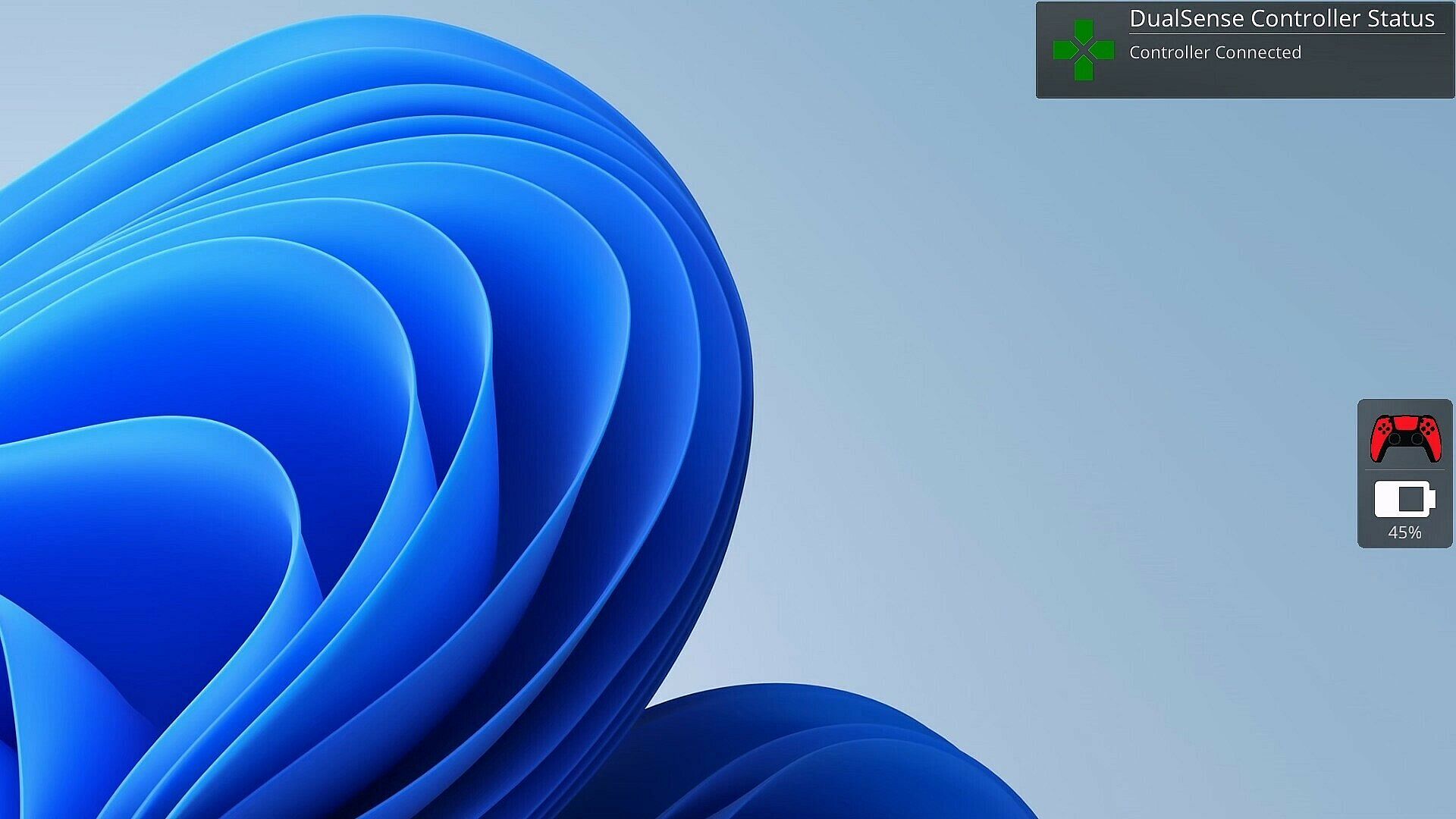
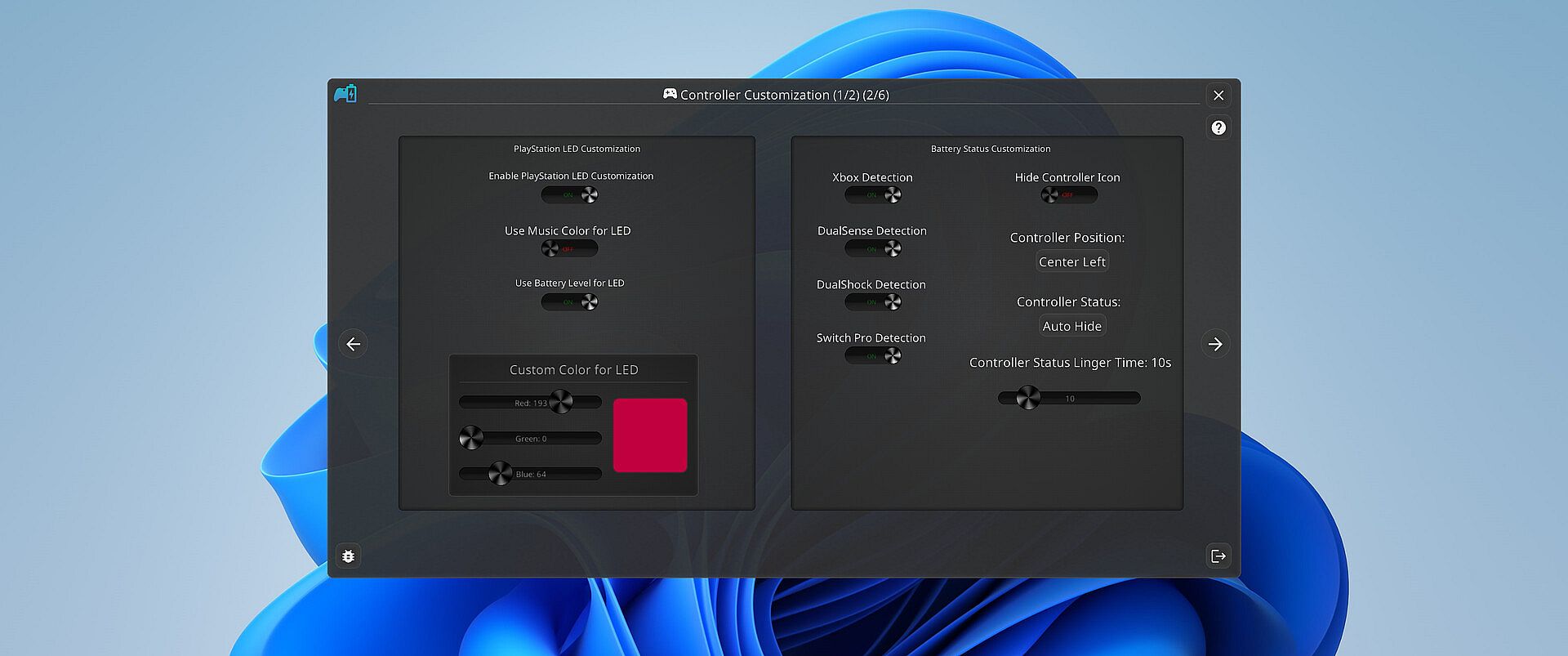
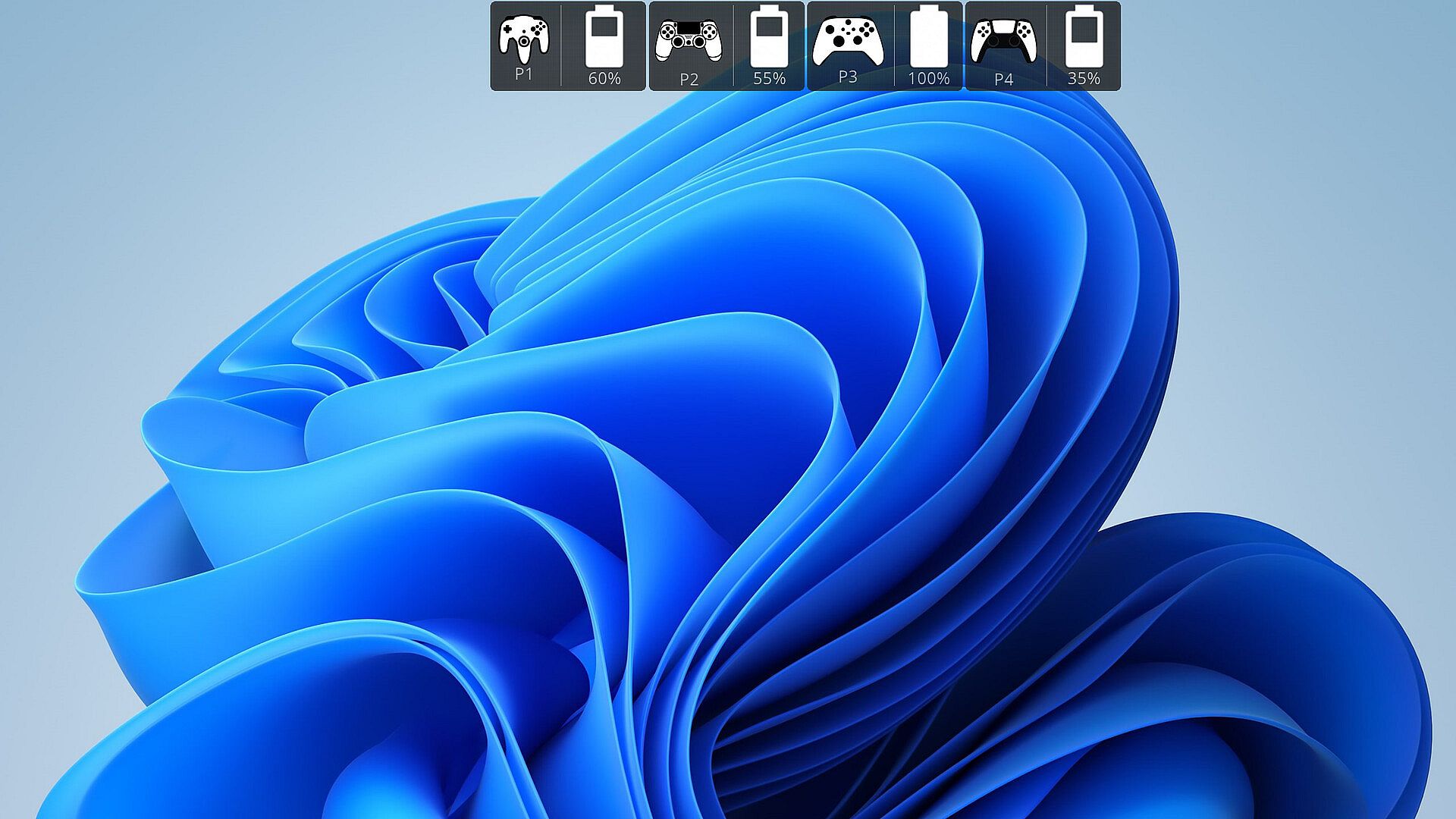
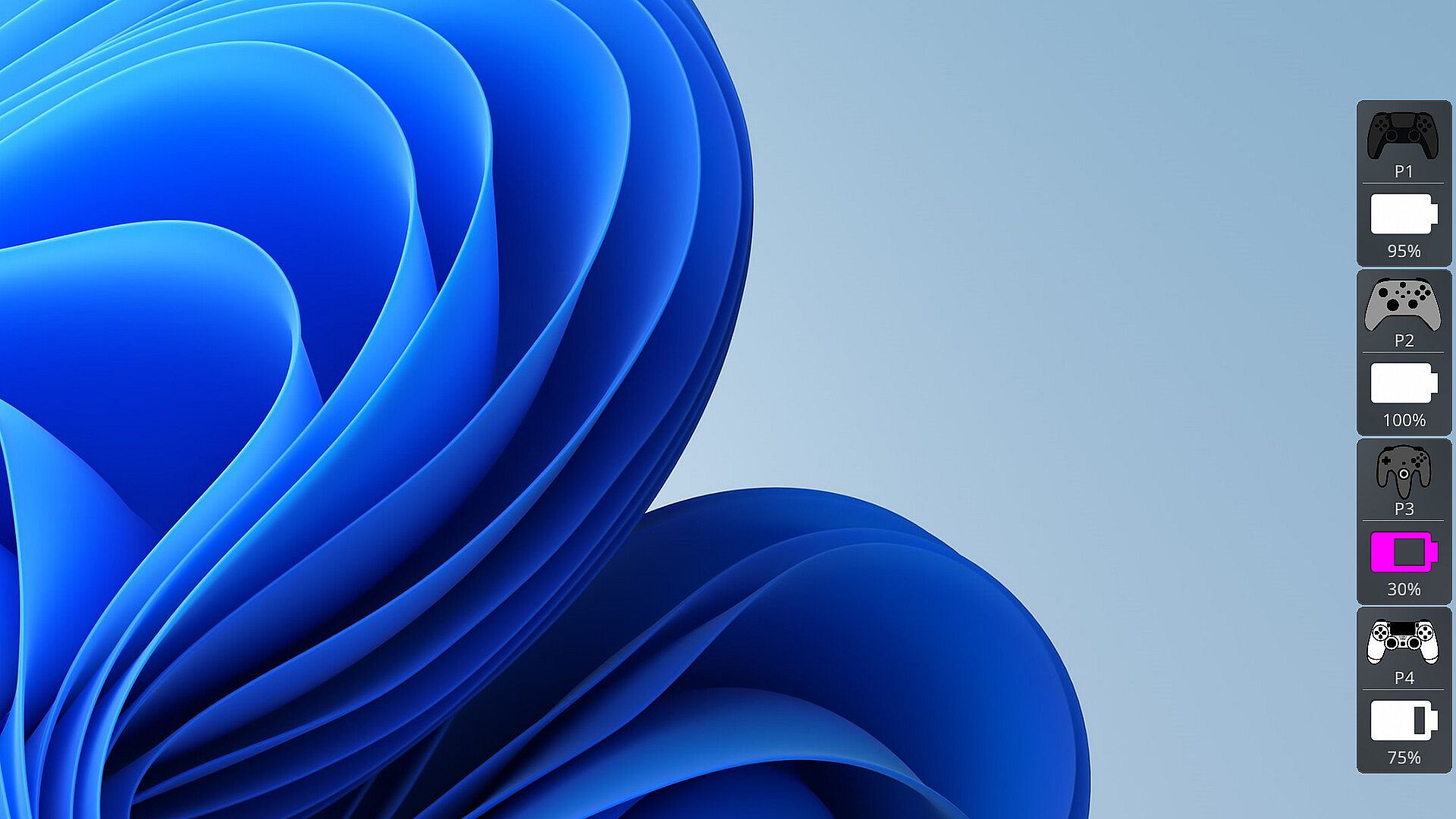
Gamers dread a controller dying mid-match. PlayStatus tracks battery life in real time for DualSense, Xbox Series/One S, DualShock 4, and Nintendo Switch Pro controllers connected via Windows Bluetooth. It sends alerts for charging or discharging and monitors friends' supported controllers too, all through a non-intrusive overlay in windowed borderless mode. This indie utility adds a media player for low-latency playback of FLAC, OGG, M4A, MP3, or WAV files with custom EQ profiles and audio visualizations. Controller emulation handles Xbox 360 and DualShock 4 mappings with rumble support, plus optional auto-detection for game-specific setups. Multi-language support covers English, Spanish, German, French, Italian, Japanese, Russian, and Simplified Chinese, making it ideal for dedicated PC players seeking seamless session tools.

Stay on Top of Your Game with Smart Controller Monitoring

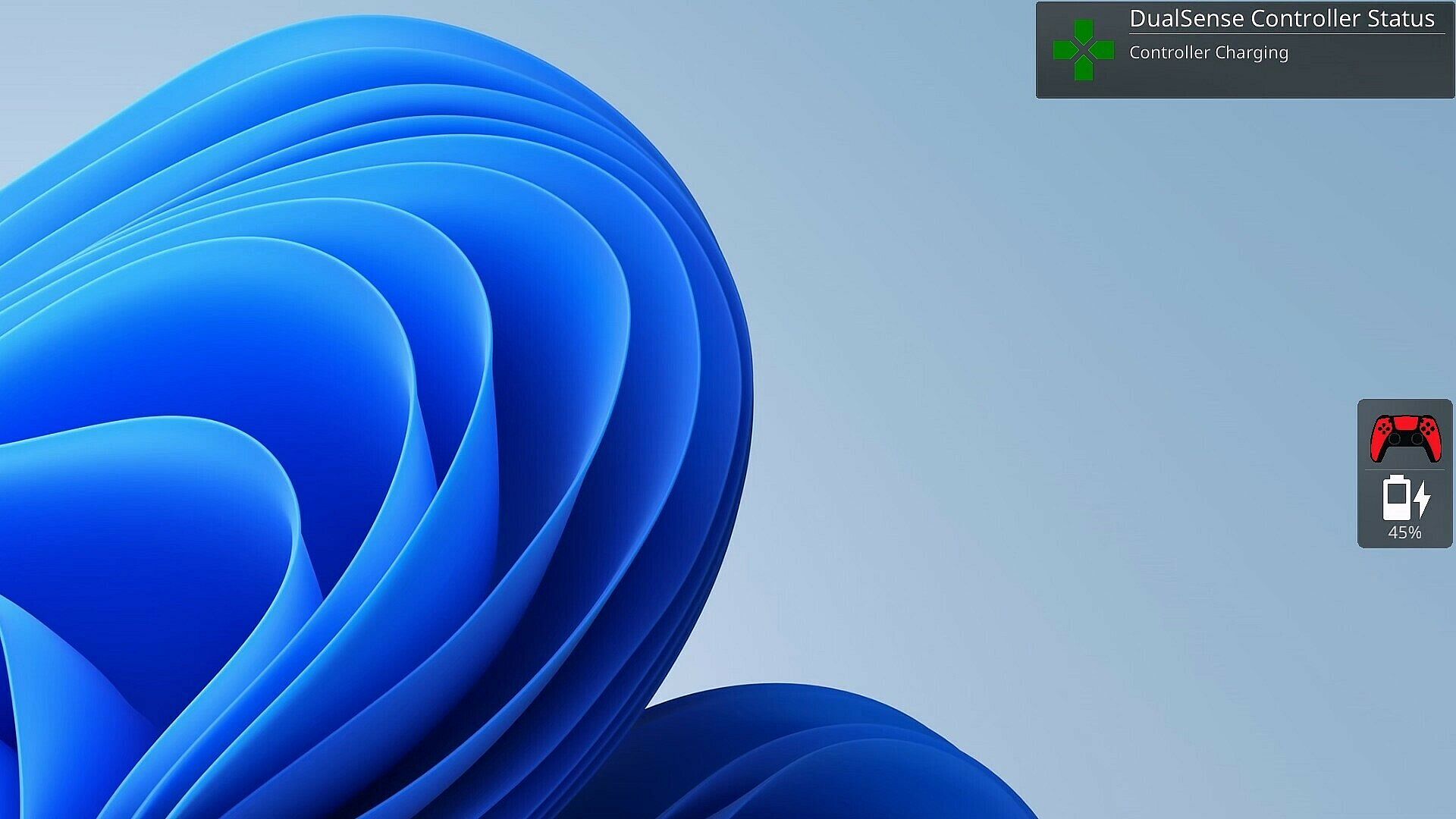
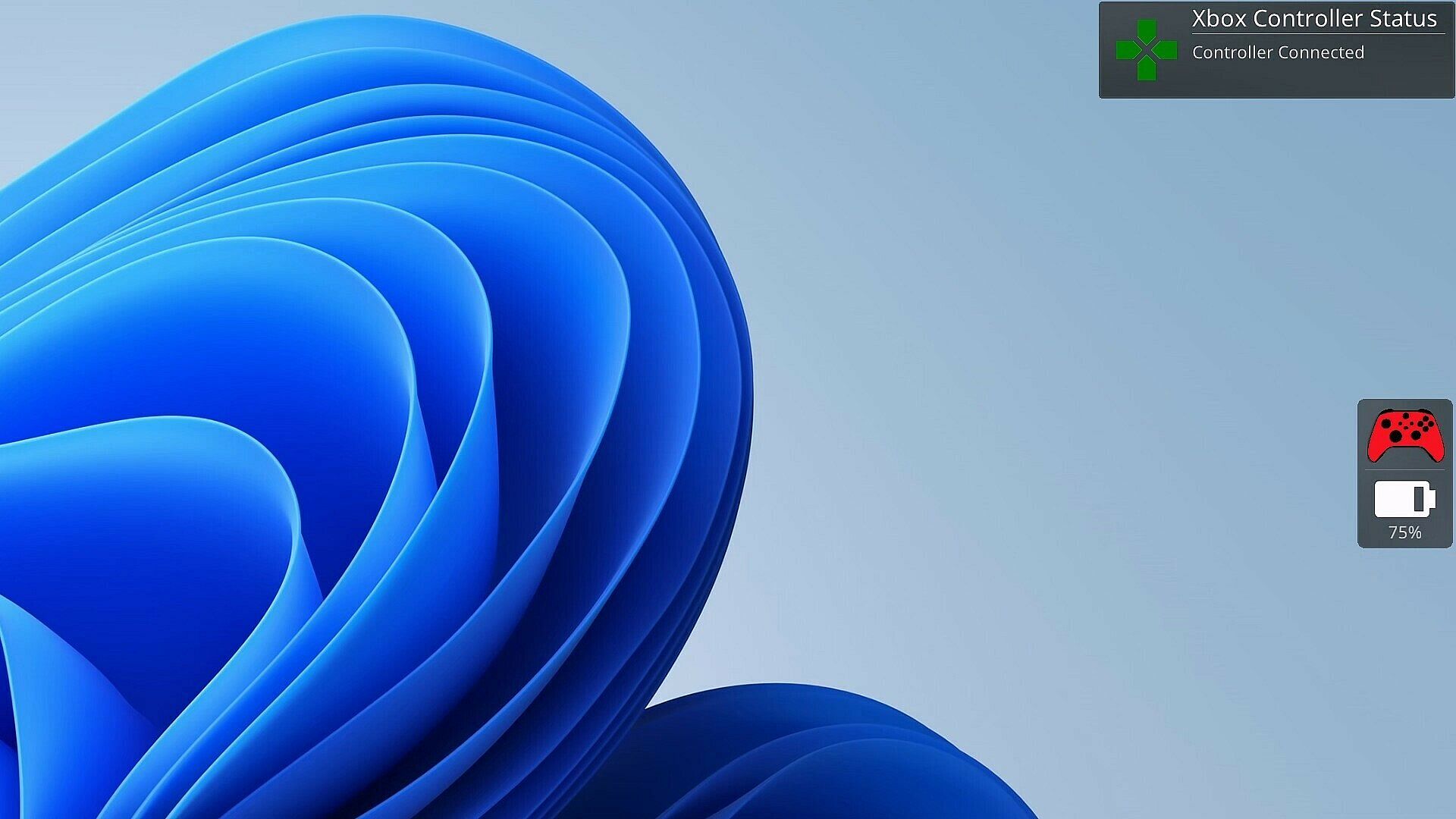
As a gamer, there's nothing worse than your controller dying at a critical moment. PlayStatus is here to ensure that never happens. Whether you're using a Dual Sense, Xbox or Nintendo Switch Pro controller, PlayStatus diligently tracks your controller's battery life, delivering real-time updates on battery changes. It alerts you when your controller starts charging or discharging, allowing you to stay immersed in your game without any unpleasant surprises. Not only that, but when you are playing with others, PlayStatus will also keep track of those controllers as well (given they're supported)!

Important Information for Best Experience

  • Compatibility Notice: PlayStatus does **NOT work on Steam Deck or any Linux distribution using Proton.

  • Unsupported Hardware: Xbox Wireless Adapter and other USB controller adapters are not supported. Connect controllers via Windows Bluetooth settings.

  • Windowed Borderless Mode Required: PlayStatus works only in windowed borderless mode, not in exclusive fullscreen.

Enhance Your Gaming Sessions with Seamless Music Integration

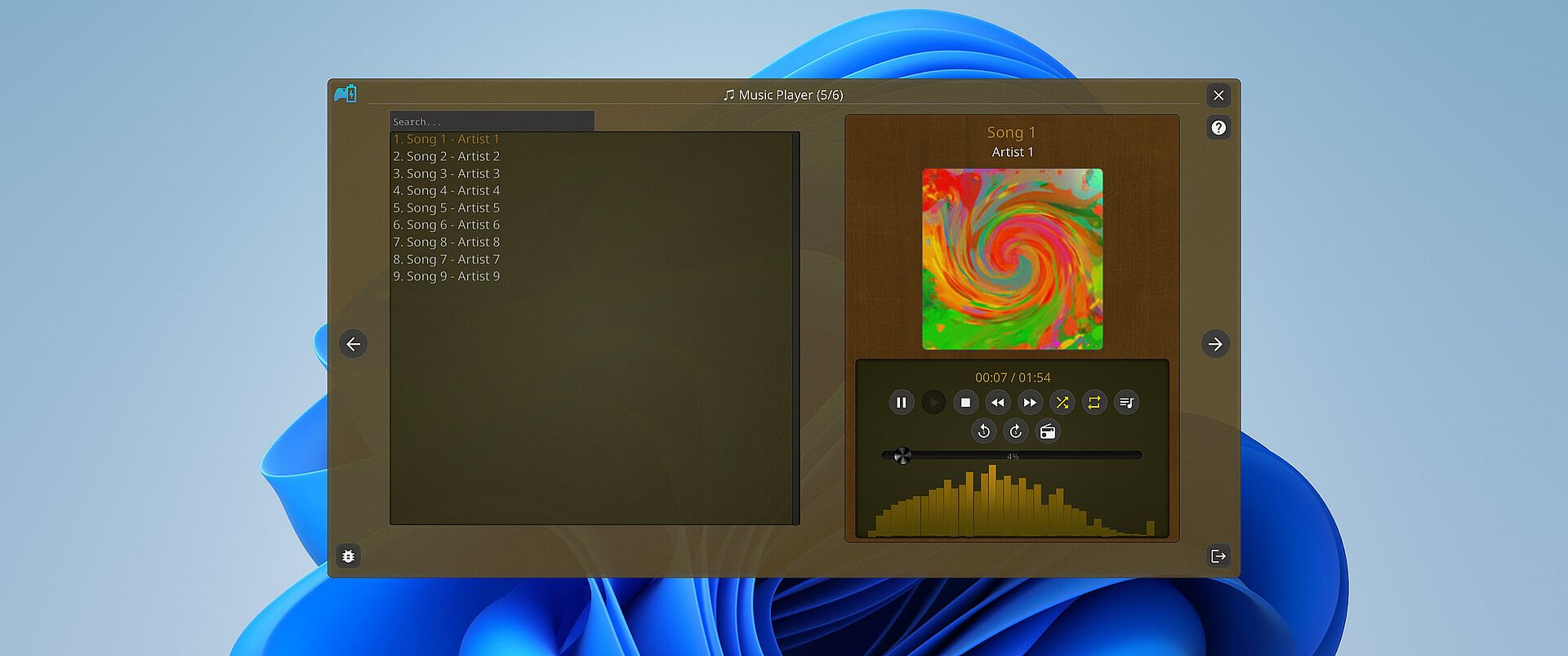
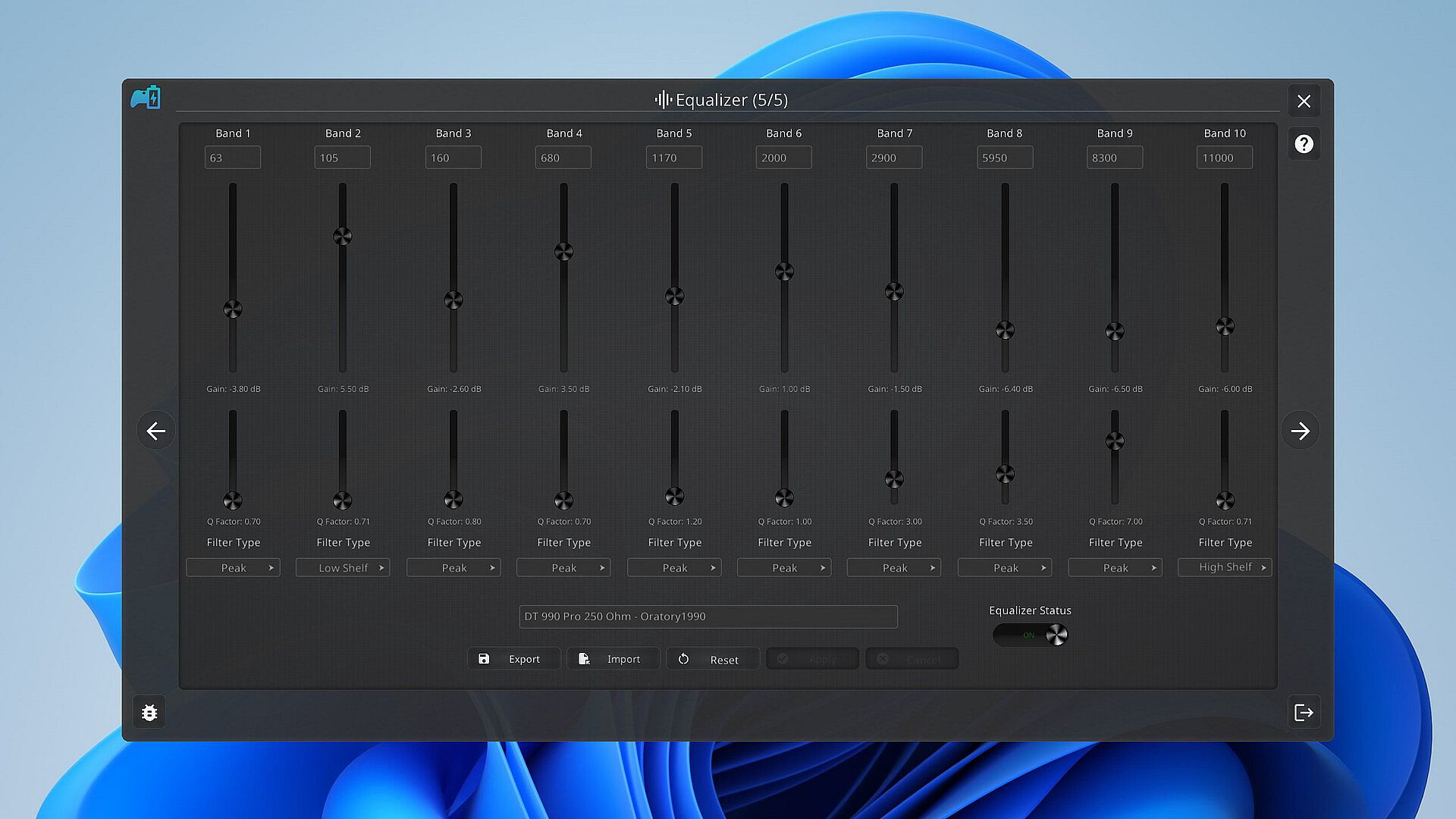
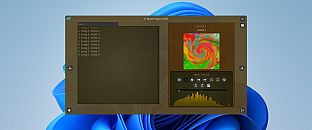
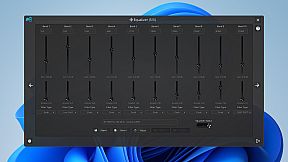
Music is the heartbeat of a great gaming session. PlayStatus features a built-in media player that can provide real-time audio visualizations and low latency audio playback! You can look forward to playing flac, ogg, m4a, mp3, or wav files with custom EQ profiles which can allow for the perfect sound for your specific audio setup.

Xbox 360 & DualShock 4 Controller Emulation

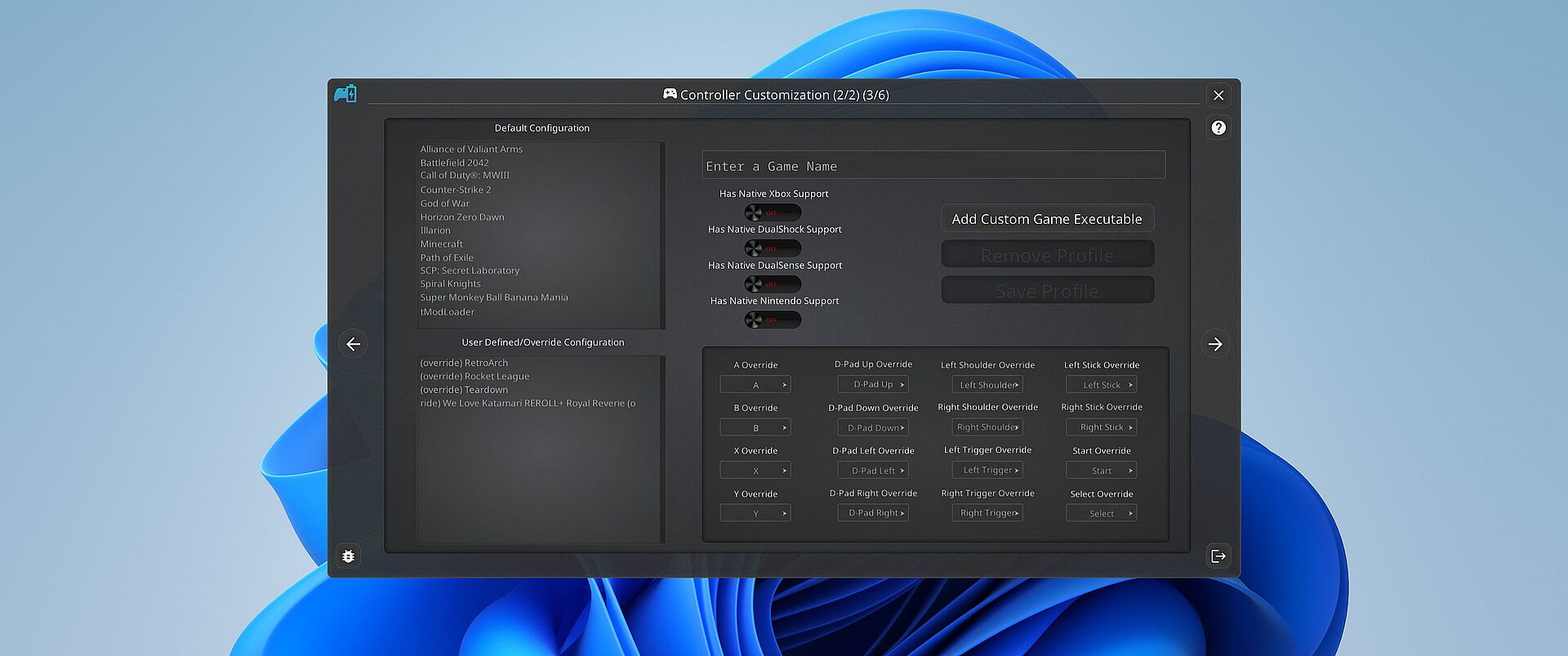
PlayStatus also offers a fully functional controller emulation system, including controller mappings and full rumble support*!

This means, if a game only supports DualShock 4 controllers, but you have an Xbox controller, PlayStatus will emulate a DualShock 4 controller for you, so you can continue to game on, no matter what controllers it supports.

PlayStatus will also optionally auto detect when games have launched, and can apply certain game mappings based on the game.

*(only for Xbox 360 controller emulation).

Why PlayStatus is a Game-Changer for You

Designed with gamers in mind, PlayStatus solves a common yet overlooked problem: the hassle of checking your controller’s battery life. Its intuitive overlay is perfect for those who play in borderless windowed mode, offering non-intrusive, real-time updates. This is all done with safety and convenience in mind; PlayStatus is completely self-contained, meaning that no Anti-Cheat or game will have any problem with PlayStatus running in the background!

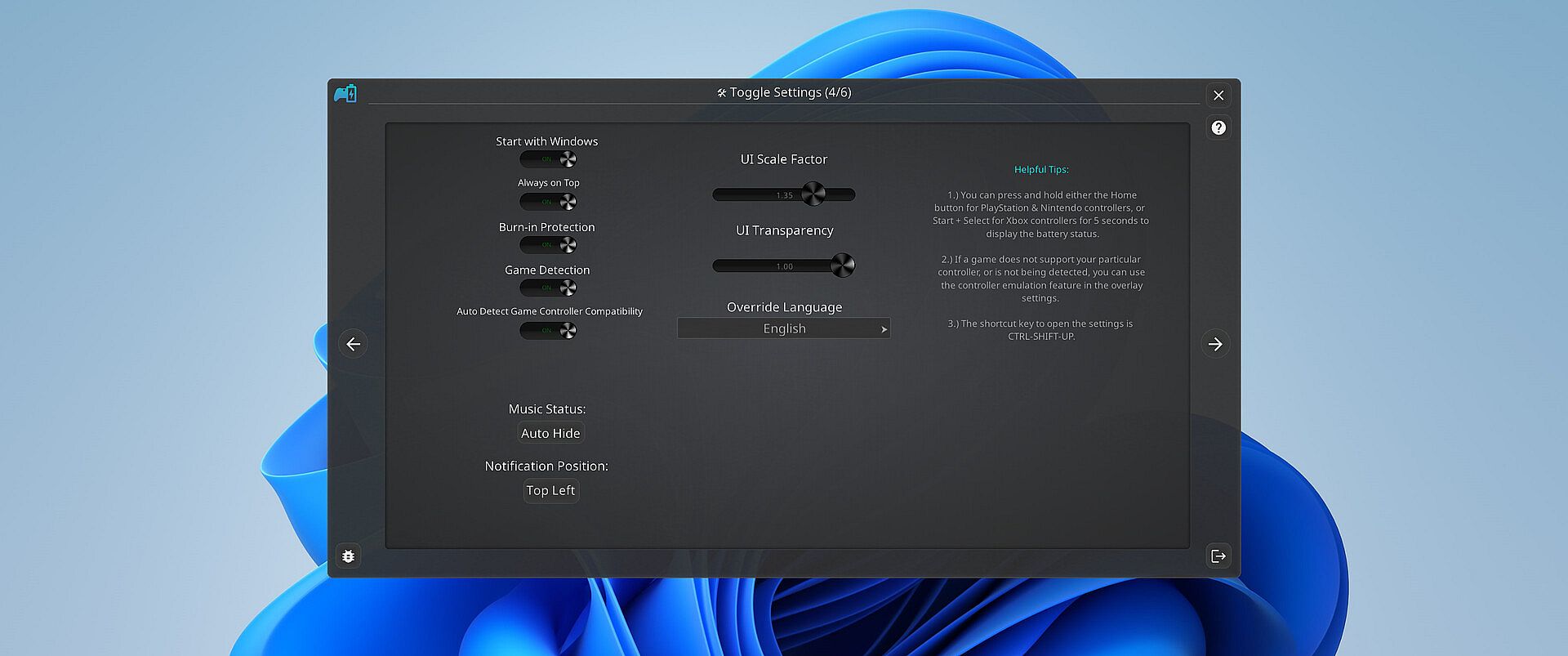
Moreover, if you’re a music aficionado, you'll appreciate the ease of viewing your music without having to switch screens or pause your game. And for those who prefer a more focused gaming experience, the option to disable notifications is just a click away.

Supported Controllers

PlayStatus supports the following controllers:

  • Xbox Series or Xbox One S Wireless Controllers connected via Windows Bluetooth Settings.

  • Dual Sense controllers (DualSense Edge is experimental)

  • Dual Shock 4 controllers

  • Nintendo Switch Pro, SNES & N64 Controllers

PlayStatus will be unable to report correct battery/connection information if you are using any sort of controller emulator dongle, like a 8BitDo, or a Microsoft Xbox Wireless Adapter. Along with that, it is very important to follow the in-app instructions for set-up.

OS Support

PlayStatus supports Windows ONLY. Running via Proton, or any type of compatibility layer, will NOT work. This includes Steam Deck. Please see the System Requirements section for more information.

Language Support

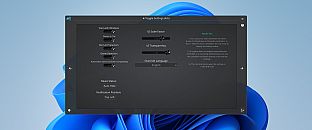
PlayStatus supports multiple languages other than English. Other languages that are supported include Spanish (Spain), German, French, Italian, Japanese, Russian, and Simplified Chinese. More languages will be added in the future if needed/requested.


Interface:
GermanEnglishSpanish - SpainFrenchItalianJapaneseRussianSimplified Chinese

Age rating

Unavailable
Steam:
Mixed (24)

Minimum:

  • OS: Windows 10.0.10586.0 or greater
  • Processor: x64 based CPU
  • Memory: 1 GB RAM
  • Storage: 1 GB available space

Recommended:

  • OS: Windows 10.0.10586.0 or greater
  • Processor: x64 based CPU
  • Memory: 4 GB RAM
  • Storage: 1 GB available space
Historical low
Price history from official stores
-
-
-
Price history from keyshops
-
-
-

FAQ

8 questions

Before you start looking for a cheap PlayStatus - Media & Controller Battery Overlay key, check the essentials. Developed by CKProductions. Published by CKProductions. PC released date: 02 Feb 2024. Genres: Indie, Utilities. Categories: Full controller support, Steam Cloud.

Q

Where to buy a cheap PlayStatus - Media & Controller Battery Overlay Steam key?

Using our price comparison and verified discount codes, you can buy a PlayStatus - Media & Controller Battery Overlay key for as low as £4.29. This deal is available at Steam and is among the cheapest offers on the market. All keys listed on XD.deals are delivered digitally and eligible for instant download after payment. Prices already include processing fees and applied promo codes, so you always see the lowest PlayStatus - Media & Controller Battery Overlay price on PC. Check the PlayStatus - Media & Controller Battery Overlay price history to buy at the best moment.

As of our last update (we refresh Steam pricing multiple times a day), the PlayStatus - Media & Controller Battery Overlay Steam price is £4.29. You can save an extra ~6% by paying with a discounted Steam gift card.

Our price tracker covers both official retailers and key marketplaces, so you can find PlayStatus - Media & Controller Battery Overlay on sale even outside seasonal promotions. We currently detect 1 active offer from official stores and keyshops. Check the table above, compare against the historical low, and set an alert so you never miss the next price drop.

Based on our data, PlayStatus - Media & Controller Battery Overlay is not currently available on GeForce NOW. You will need to run it locally on your PC. Browse games available on GeForce NOW.

Yes. PlayStatus - Media & Controller Battery Overlay has an official page on the Steam Store. You can also buy a PlayStatus - Media & Controller Battery Overlay Steam key from third-party sellers. Our price comparison currently includes 1 offer with Steam DRM. Pick one to ensure your PlayStatus - Media & Controller Battery Overlay download happens on Valve's platform.

Not at this time. Valve marks PlayStatus - Media & Controller Battery Overlay as Unsupported on Steam Deck. Keep an eye on XD.deals - we track Proton updates and community fixes. Browse games that are Steam Deck Verified or Steam Deck Playable.

PlayStatus - Media & Controller Battery Overlay does not appear to be available on PC Game Pass, EA Play, Ubisoft+ or any other PC subscription service at this time. Your only option is purchasing the game - use XD.deals to find the best price.

No - XD.deals is not a store. We are a price-comparison service that tracks the best PlayStatus - Media & Controller Battery Overlay deals across official stores and verified keyshops. Click "Go to Store" next to any offer and you will be redirected to the retailer's website to complete your purchase.

Best prices for PlayStatus - Media & Controller Battery Overlay

1 Steam Steam Official
£4.29

Want to buy at the best moment? Set a price alert on XD.deals and get notified when PlayStatus - Media & Controller Battery Overlay hits its next historical low.

Create Alert
Join our Discord
Get instant help from our community and stay updated on the latest deals
Set Price Alerts
Get notified by email when game prices drop to your target
Create Free Account
Unlock wishlists, price alerts, and Steam sync