




GTA 6 First Person: How to Turn It On, the Camera Glitch and How to Exit
GTA 6 has no first-person mode you can switch on in the menu. The game gives you a first-person view in three situations only: hold L2 and press R3 (LT and the right stick on Xbox) while standing still, pull out the phone while driving, or aim a gun fitted with an optic. For walking, driving and shooting in first person all the time, players use a camera glitch that works on PS5 and Xbox Series X|S.
- There is no official first-person mode. Rockstar built GTA 6 around the third-person camera.
- Official first person: L2 + R3 or LT + right stick while standing, D-pad Up in a vehicle (phone view), and aiming with a sight.
- The glitch: set Touch Pad Button or View Button to Camera, open the phone in a car, close it and mash that button.
- The only reliable way back to third person is loading a save, so make a manual save first.
Does GTA 6 have a first-person mode?
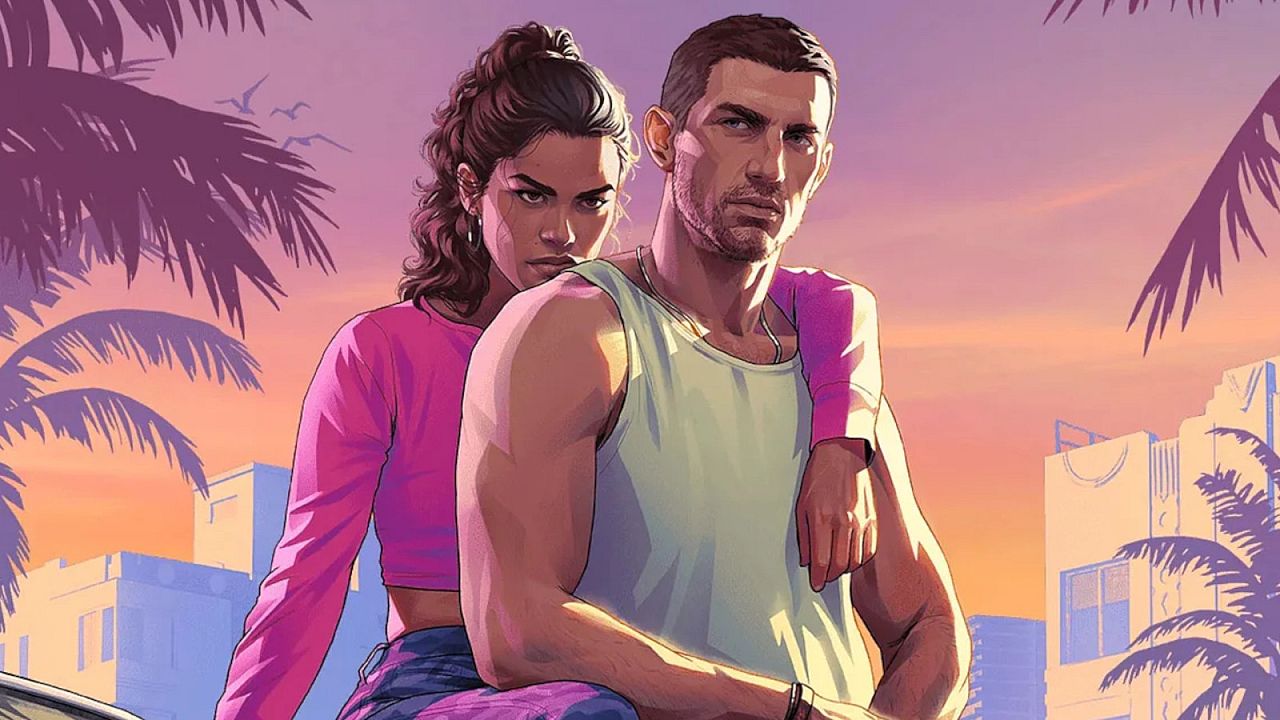
No, GTA 6 launched without a dedicated first-person mode. There is no camera toggle like the one GTA 5 got on PS4 and Xbox One, and no menu option that puts the whole game behind the eyes of Jason or Lucia. PowerPyx, GTABase, Game Rant and Engadget all say the same thing: first person exists only in a few narrow situations.
Rockstar said before release that the game would ship without the mode, and according to Dexerto the studio explained that work went into third-person animation. What the game does have is a hidden first-person camera that is clearly working under the hood, which is why the glitch below looks as finished as it does.
How do you go first person in GTA 6?
You go first person the official way with L2 + R3 on PS5 or LT + right stick on Xbox while your character stands still. That is one of three views the game allows without any tricks.
| Situation | PS5 | Xbox Series X|S | Limit |
|---|---|---|---|
| Standing still on foot | Hold L2, press R3 | Hold LT, click the right stick | You can look around, you cannot walk |
| Driving with the phone out | D-pad Up in a vehicle | D-pad Up in a vehicle | Lasts only while the phone is in your hand |
| Aiming a gun with an optic | Hold L2, press R3 while aiming | Hold LT, click the right stick while aiming | Needs a sight fitted to the weapon |
The standing view is good for a closer look at a shop shelf or a skyline, nothing more: the moment you push the left stick, the camera drops back behind your character. The driving view is the closest thing to a cockpit camera. You see the dashboard, the road and the phone, and you can keep driving as long as the phone stays out.
The weapon view depends on your gear. PowerPyx notes that optics are fitted at any gun store by talking to the clerk, and only guns with a sight let you look down it in first person. Engadget also describes the phone view as an option in the Camera tab of the settings, so check there if your phone stays in third person.
How do you do the first-person glitch in GTA 6?
You do the glitch by remapping one button to Camera and mashing it at the moment you put the phone away inside a vehicle. It was shown by YouTuber oneboyler hours after launch and has been repeated by GTABase, Game Rant, Dexerto and Mixed News. Save first, in a separate slot.
- Pause the game, open Settings and move to the Controller tab.
- Scroll to Touch Pad Button (PS5) or View Button (Xbox) and change it from Map to Camera. Game Rant shows the value as Camera (2/2).
- Get into the driver's seat of any car or onto a bike.
- Press D-pad Up to take out the phone. The camera moves to first person.
- Press Circle (PS5) or B (Xbox) to put the phone away and immediately mash the touchpad or the View button.
- If the camera pulls back behind the car, repeat steps 4 and 5. It usually takes a few tries.
When it works, the phone disappears and the camera stays in first person. Kotaku adds that the view stays locked after you step out of the car, which is the whole point: from then on you walk, drive and shoot through your character's eyes. One detail differs between sources: GTABase lists Square as the button that closes the phone on PlayStation, while the others say Circle. Use the button that closes the phone on your setup, the timing of the mashing is what matters.
How do you get out of first person in GTA 6?
You get out of glitched first person by loading a save. Once the camera is locked, the touchpad or View button does nothing, and there is no button that brings third person back. Game Rant, Dexerto and Mixed News all name a save reload as the fix.
You do not have to lose progress. GTABase describes saving the game on the spot and loading that save straight away, which resets the camera. Kotaku notes the view otherwise lasts until you shut the game down. After that, go back to Settings and return Touch Pad Button or View Button to Map if you want the map on that button again.
The three official views end on their own: release L2 or LT, move the stick, or put the phone away.
What works and what breaks in glitched first person?
Walking, running, driving, shooting and talking to NPCs all work in glitched first person, including during missions. Dexerto points out that weapon animations look made for this view, and both Kotaku and Mixed News confirm it works for Jason and for Lucia, so switching characters is not a problem in itself.
The weak spots are the scripted moments. Game Rant warns that the glitch can mess up key cutscenes and story beats, and that character models and long guns clip into the camera during some animations. GTABase adds that the camera sometimes resets on its own and the glitch simply ends. For a first run of the story missions, third person is the safer choice. First person is at its best in free roam: cruising Vice City, a shootout, a walk down the beach.
Does the first-person glitch work on PS5 and Xbox?
Yes, the glitch works on both PS5 and Xbox Series X|S, the only platforms GTA 6 is out on. The only difference is the button: the touchpad on a DualSense, the View button on an Xbox controller. The three official views use the same inputs on both consoles.






Because it is an unintended bug, Rockstar can remove it in any update. If the steps stop working after a patch, the official views from the table above remain. Current offers for both versions are on our GTA 6 price page.
How do you change the camera in GTA 6?
You change the regular camera in the Camera tab of the settings, and in a vehicle by holding D-pad Down. Engadget describes three camera heights for vehicles: hold D-pad Down, pick the height and confirm. The same tab lets you set camera height on foot and how fast the camera follows you on foot, in cars and boats, and in aircraft, and it holds the cinematic camera too.
Setting Touch Pad Button or View Button to Camera, the same change the glitch needs, moves camera switching onto that button in place of the map.
Will Rockstar add a first-person mode to GTA 6?
It is not confirmed. According to Kotaku, Rockstar has not promised a first-person mode but has said it is an option. The precedent is GTA 5, which launched in 2013 without first person and received it a year later with the PS4 and Xbox One versions. The working camera and weapon animations found through the glitch suggest much of the groundwork is already in the game, but that is a conclusion drawn by players, not a statement from the studio.
Frequently asked questions
What button is first person in GTA 6?
Hold L2 and press R3 on PS5, or hold LT and click the right stick on Xbox, while standing still. There is no single button that switches the whole game to first person.
Can you play all of GTA 6 in first person?
Not officially. With the camera glitch you can play most of the game that way, but cutscenes and some story moments can break, and the camera may reset by itself.
Is GTA 6 a first-person shooter?
No. GTA 6 is a third-person open-world action game. First person is limited to standing still, the phone while driving and aiming with a sight.
Can the first-person glitch break my save?
None of the sources we checked reports a damaged save. They all recommend a manual save in a separate slot before trying it, because loading a save is the way back to third person.
Does first person work for both Jason and Lucia?
Yes. The official views and the glitch work for both protagonists.
Is there a cheat code for first person in GTA 6?
No. None of the 61 GTA 6 cheat codes switches the camera to first person. A few only add visual filters.
Sources
- PowerPyx: GTA 6 How to Play in First-Person View
- GTABase: How to Play in First Person in GTA 6
- Game Rant: GTA 6 Players Can Turn On First Person Mode POV With a Glitch
- Kotaku: Someone Discovered How To Glitch Into First-Person Mode In GTA 6
- Engadget: How to switch camera views in GTA 6
- Dexerto: GTA 6 glitch lets players access first-person mode
- Mixed News: GTA 6 players found a first-person camera glitch