


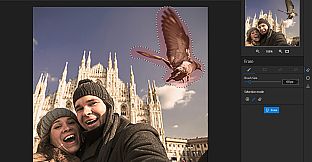
inPixio Photo Studio Pro is a software program for editing and improving your photos. It makes it simple and fast to:
- Cut out objects and people in your photos.
- Remove unwanted features in the landscape.
- Correct defects in a few clicks.
- Produce creative montages using original stickers, objects, and backgrounds.
In this professional version, you can also enjoy a whole host of new features, including sky replacement and background blur to enhance your photos. The result: original and creative photos worthy of a professional.
Sky replacement
The sky’s the limit! Make your photos more vibrant by switching the sky. Sunset or sunshine, create the atmosphere you want for your picture and say goodbye to dull skies
Remove objects from your photos
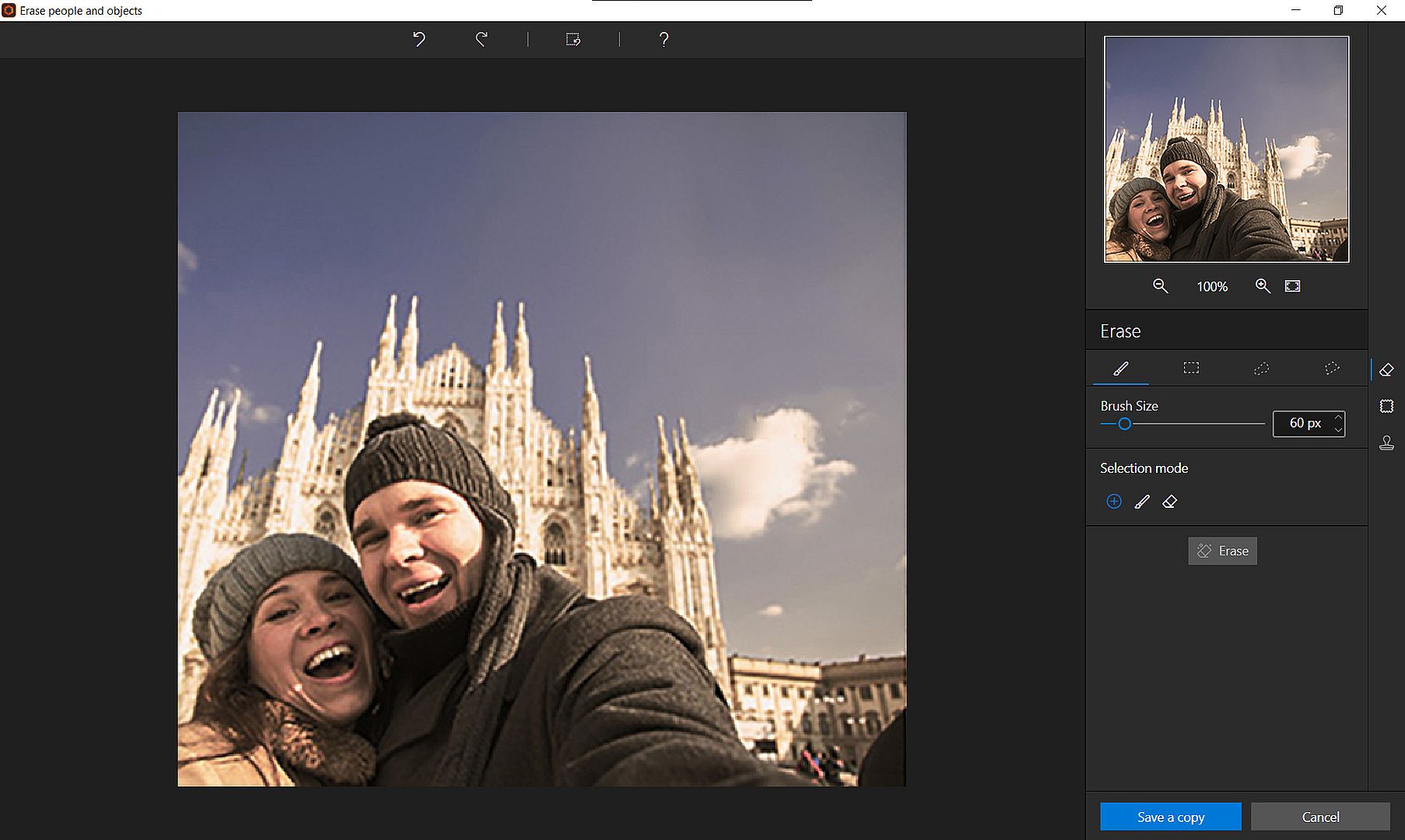
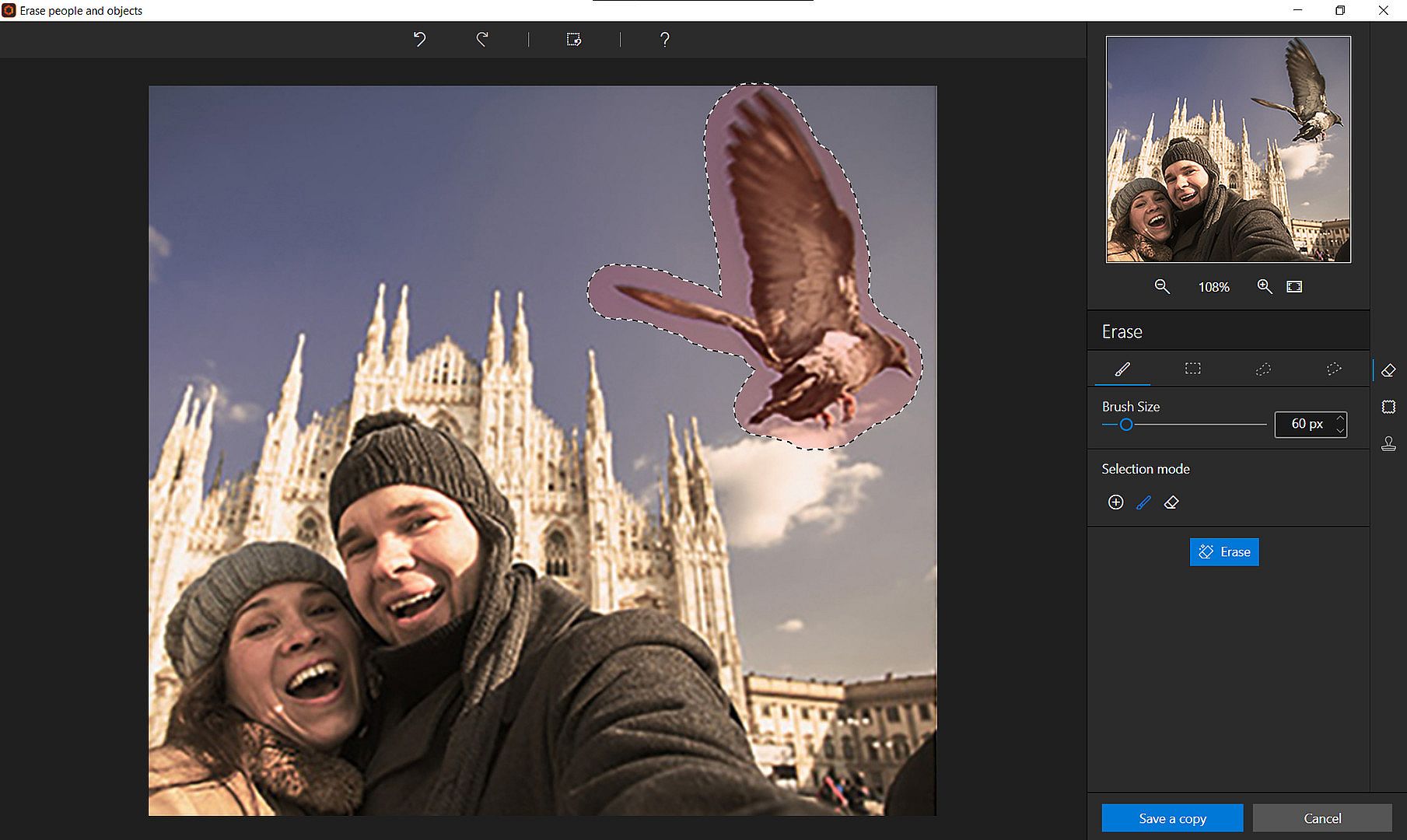
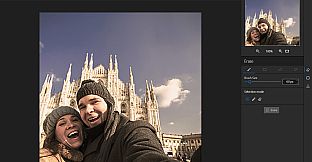
The Erase function allows you to remove any object or person from your photo without any fall-off in the optimised quality.
The erase tool features automatic detection of color contrasts, assisting you at any point in your path.
inPixio Photo Studio allows you to erase an object just like an eraser, simply by highlighting the unwanted parts of the image, and reconstructs the structures of the background. Correct any residual imperfections with the Clone Stamp. Here are a few examples of use:
- Erase unnecessary objects and people
- Remove shadows
- Remove texts, data, logos and watermarks
The Correction Patch tool allows you to get rid of imperfections, fill in or clone part of an image with just one flick of the mouse. It makes it easier to touch up areas that are hard to “reconstruct”. It can remove or add elements, even in areas that are very difficult to rebuild (steps, shading in the sky, etc.).
Also use the patch to retouch portraits. Eliminate minor imperfections and make wrinkles less visible, like the glossy magazines do!
Use the Clone Stamp to perfect your editing or to clone contrasting features. Existing objects can be redrawn on the screen with the clone stamp. Repeat this process as often as you like to create amazing double effects!
Create cut-outs and photomontages
With inPixio Photo Studio, you can personalize your photos in no time:
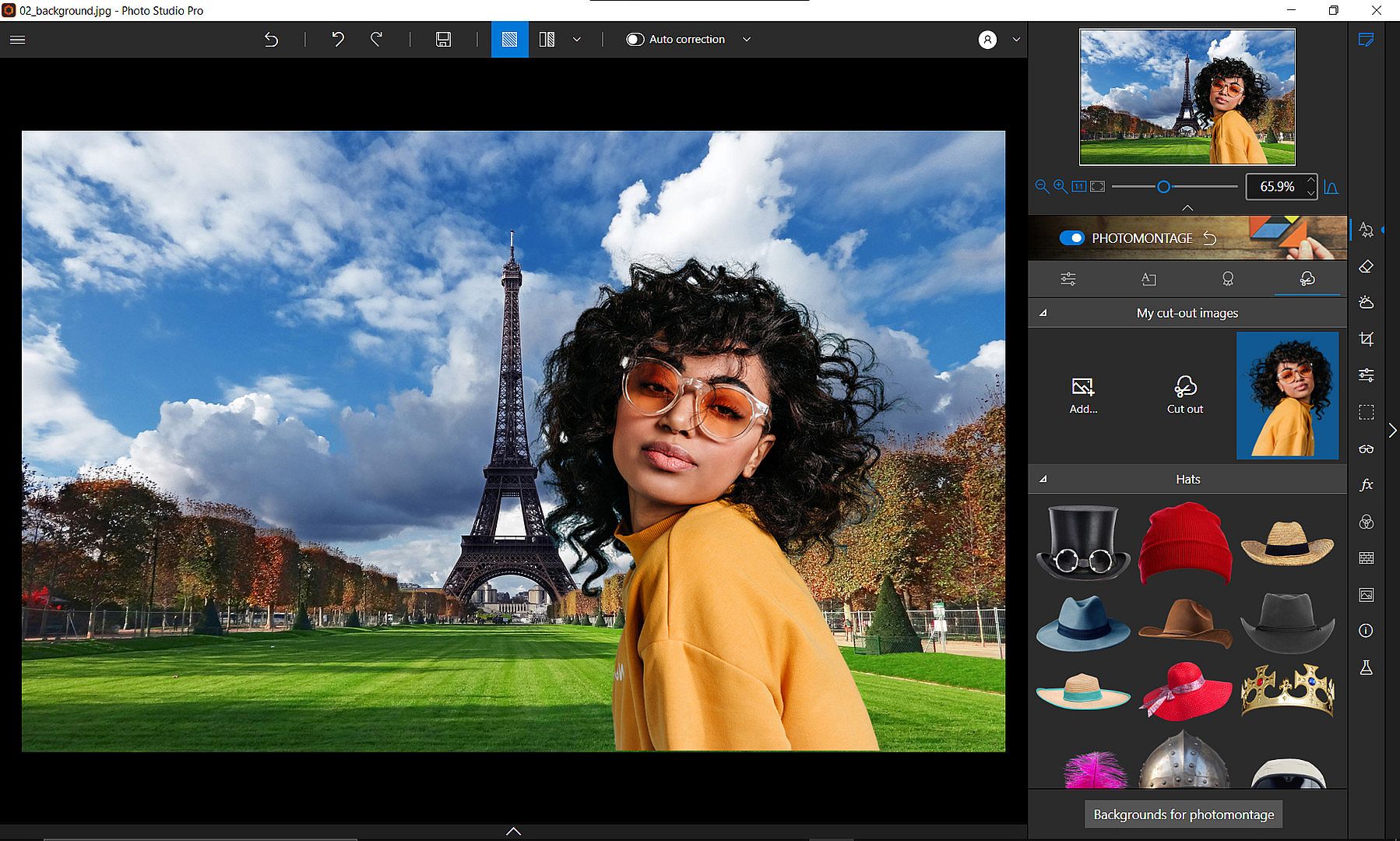
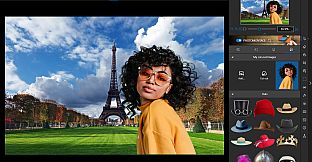
1- Select a background image that will provide the starting base for your photomontage.
2- Add cut-out objects. Add objects and stickers to your background image.
Choose from a hundred different stickers and text templates to add style to your photos and photomontages. Original content is available for every occasion (birthday, new baby, marriage, invitation...). These creations are fully editable (size, color, font, opacity).
Take things a step further with cut-out objects in inPixio Photo Studio!
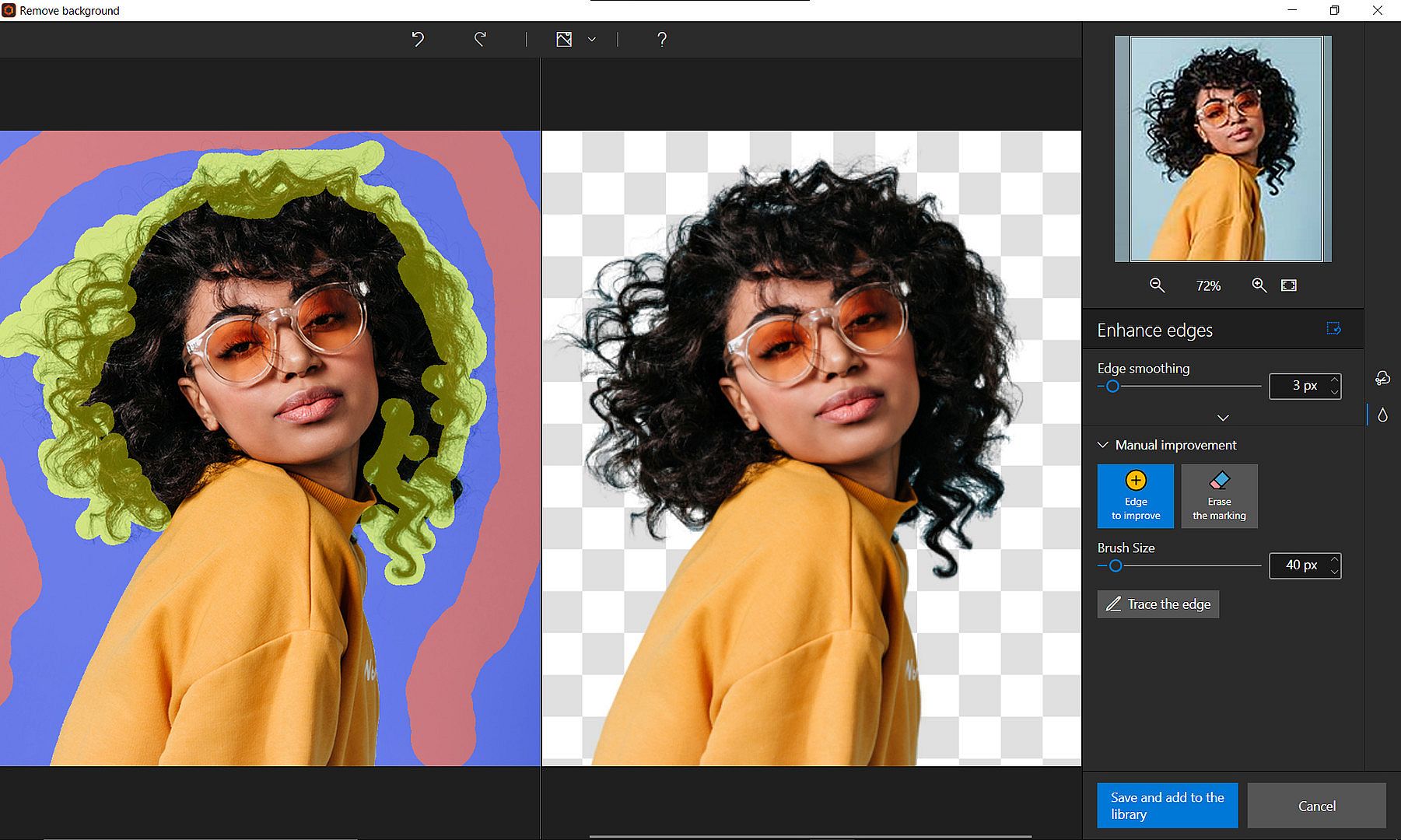
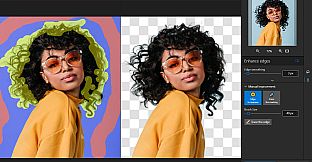
You can add your own cut-out objects (people or objects) by cutting them out of your photos. All you need to do is select the outline of the person or object, or the background to remove, and the Photo Studio algorithm runs automatically!
You can also use the "keep" marker for important features to make sure your cut-out is perfect.
Refine your cut-out by using the Enhance edges function on the trickiest areas of your image, such as hair or tree branches, to get the maximum amount of detail.
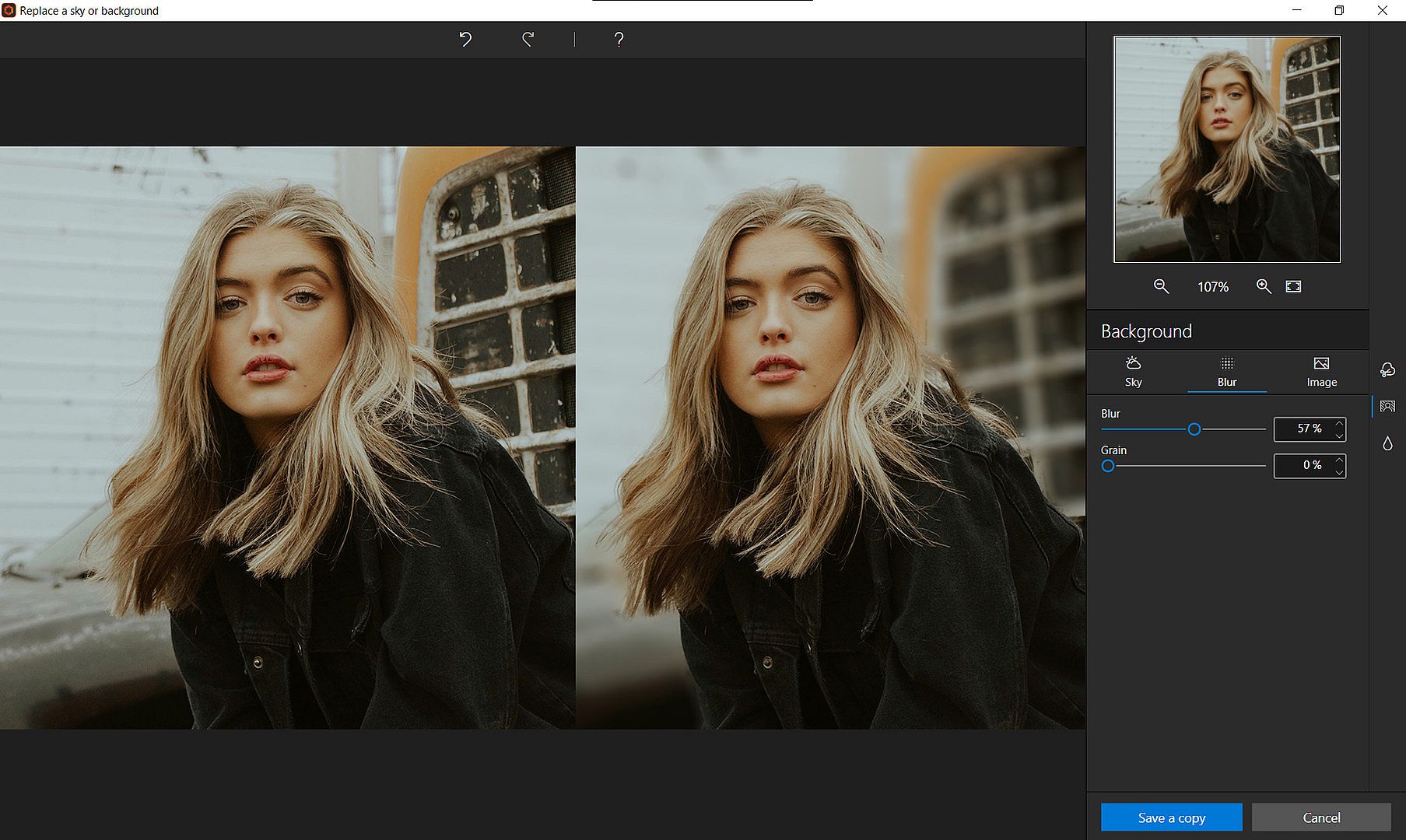
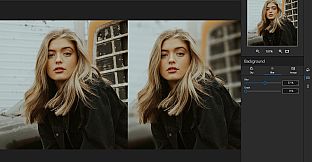
Background blur effect
Make your subject pop by blurring the background. Create beautiful portraits worthy of a pro - no advanced photography skills needed.
Automatic correction in 1 click:
Amazing photos in just one click – using 100% automatic smart technology! Improve the quality and colors of your photos in under a second thanks to our fully automatic process. You no longer have to be a Photoshop expert to create perfect photos!
Perspective correction tool
When taking a photo, perspective problems can arise if the camera is not far enough away from the subject. The most obvious case for perspective correction is shooting buildings from the ground. By playing with the perspective, you can easily straighten your subject.
Denoise and Dehaze tools
Noise is the grain that shows up on your photos when they lack luminosity. With the denoise tool, you can effectively reduce the noise in your photos.
The (atmospheric) dehaze tool makes it possible to limit, or even remove altogether, the kind of unwanted fog effect which can often spoil your photos.
Addition of LUT styles
Want to get incredible results in 1 click? Turn your pictures into one-of-a-kind shots by using styles worthy of a professional photographer. In just 1 click, your original photo is transformed and enhanced thanks to our selection of LUTs. You can also use this tool to import your own libraries or download and import free libraries from the Internet.
Also find,
- More than 100 stickers and text templates to add style to your photos and photomontages. Original content for every special occasion (birthdays, greetings, invitations). All the designs are fully editable (format, color, font, opacity).
- Filters, frames and textures from among the models proposed
- Tone curve: Play with the tone curves to obtain light or dark hues and adjust the RGB (Red, Green, Blue) curves one by one.
- Color balance: Adjust the hue and saturation with amazing precision. You can adjust the shadows, midtones and highlights of your photo on a case-by-case basis.
- Film grain: Add grain to give your photo an artistic or retro effect.
- Vignetting: Obtain a "concealed" effect or draw attention to a specific object.
- Sharpness tool: Optimize sharpness in your images to reveal their tiniest details.
- Cropping and 90° rotation: Set the ratio of your photos yourself (1/1, 4/3, 16/9 etc.), then adjust the angle by drawing a horizontal line on your photo.
User help
Mini video Tooltips
To get the most out of Photo Studio's features, mini videos have been added in the form of tooltips. All the features of the program are explained in a fun and dynamic way. Simply hover over one of the features to reveal a demonstration of what you can do with it.