


















Buy VoiceWarrior PC

Where can you buy the cheapest VoiceWarrior key for {6}? Check and compare prices from 1 stores among 1 offers on XD.deals. The lowest VoiceWarrior price on keyshops is at £2.89 (0% off).

Release: 20 Nov 2017
Steam:
Mostly Positive (24)
Keyshops
Unavailable
Buy in Official Store:
£2.89
Buy in Keyshops:
See price history

Official Stores (1)

DRM:
Steam
Steam
Steam
VoiceWarrior
Windows
1y ago
DRM:
Steam
Steam
£2.89
Historical Low Deal
Historical low

About VoiceWarrior

VoiceWarrior - about the game
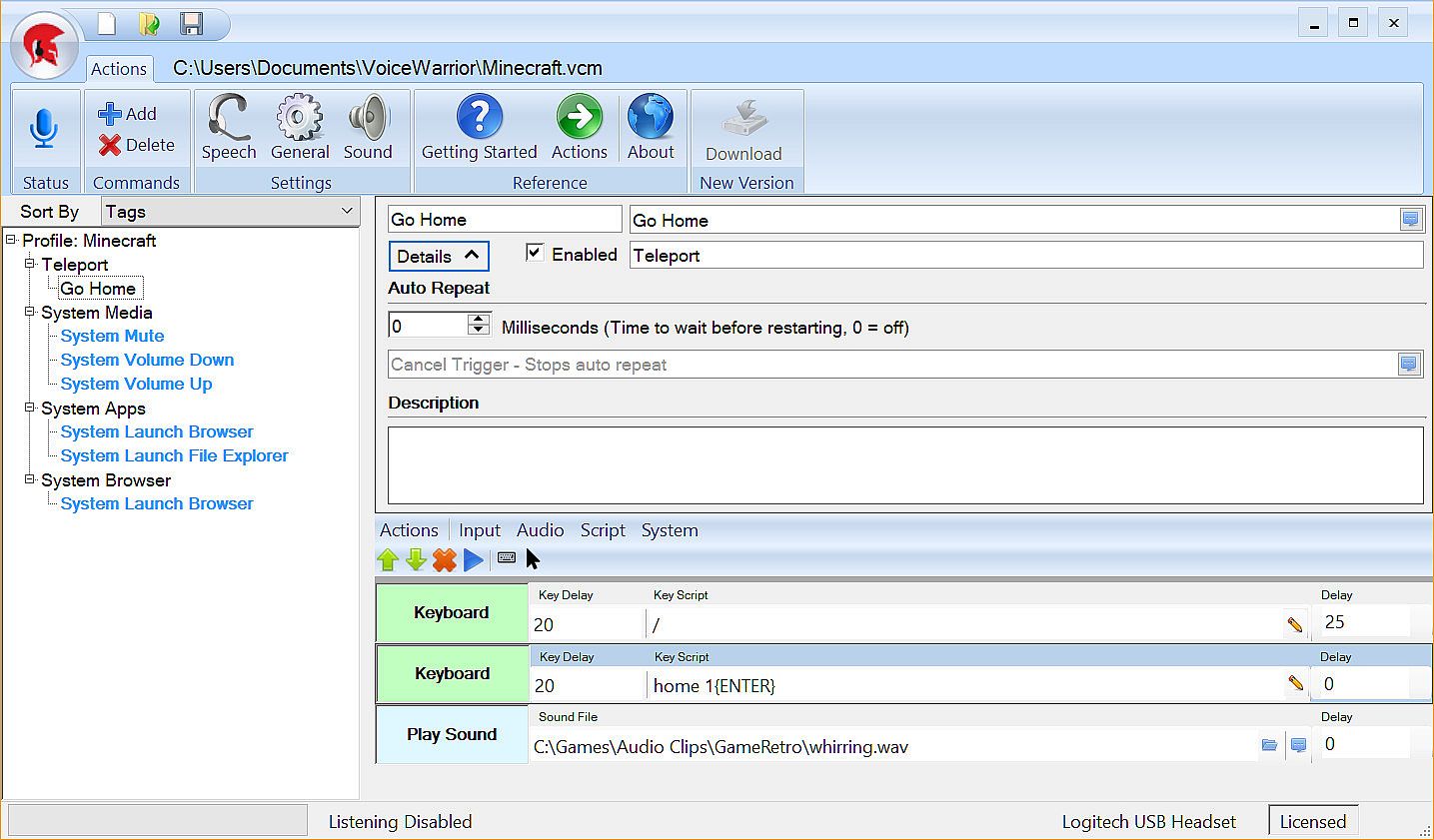
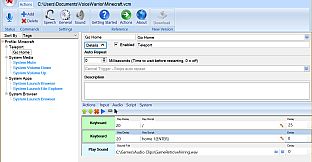
Take command of your PC games by voicing complex macros for repetitive actions. VoiceWarrior activates these macros with custom phrases like "Cast Fire" or elaborate chants, eliminating keybind confusion. Choose from Command Prefix mode for wake words such as "Execute," Always On for nonstop control, or Push to Talk to separate commands from chat. Build macros with text-to-speech feedback, custom music playback, and sound effects for immersive responses. Organize commands via tags, categories, subcommands, system profiles, and named profiles-switch sets for battle, exploration, PVP, or menus. VR users gain handy profile switches and app launches, perfect for gamers who demand hands-free precision in heated sessions.

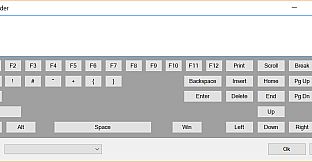
Take command of your game using your voice to execute complex or repetitive actions. VoiceWarrior lets you build simple or complex macros that will execute at the sound of your voice. Don't worry about remembering whether your fire spell is assigned to Ctrl-F3 or Ctrl-Alt-F3. Just say "Cast Fire" - or better yet, say "I summon the flame of Anor!"
Modes
  • Command Prefix: Similar in function to "OK Google" or "Hey Siri", you can customize VoiceWarrior to listen for a key word or phrase before any command. Good examples might be "VoiceWarrior" (the default), "Computer", "Command", "Sally", "Bob", "Okay then", "Execute"... So "Execute Quick Escape" would run your quick escape macro.
  • Always On: In the heat of battle, keywords can get annoyingly repetitive. If you go full tilt voice control, you aren't going to want to beg "Sally" or "Bob" to do your bidding ten times a miniute. "Always On" is the way to go if you intend to rain down verbal supremacy on your foes.
  • Push to Talk: If you also use a chat program that supports push to talk, you can keep your complaining and your commands on seperate channels by using a different Push to Talk key for each purpose.
Features
  • Text to speech feedback: You say "Prepare for battle", all of your party buff spells are cast, and then you hear "Your companions seems stronger now."
  • Custom music playback: As soons as you hear "Your companions seem stronger now", your music changes to your chosen battle anthem. We are partial to Pantera's Vulger Display of Power albulm.
  • Custom Sound Effects: You say "Fire Phasers", and you hear a clip of Scotty saying "Aye Captain". Or maybe you say "Teleport Home" and you hear dorothy say "There's no place like home". Your imagination is the only limit here. The internet has every sound clip you can imagine.
  • Tags: Tag your commands with mutiple categories. For example, put your "Fireball" command in the Battle, Offense, and Spells categories.
  • Command Management: Enable or disable single commands or entire cagegories from a macro. For example you can have one set of commands for Battle, another for exploring, and yet another for PVP. "Cast Buffs" might mean something different in each scenario. You could also setup a category for your game's menu system, and activate it using a command that disables all other command categories.
  • Sub Commands: No need to define macros over and over again to include the same functions in another macro. Have your "Fire Everything" command call "Fire Phasers", "Fire Photo Torpedos", and "Reinforce Forward Shields".
  • System Profile: You can configure a system profile of commands that are always loaded in addition to the current loaded profile.
  • Named Profiles: Using the system profile, you can setup profile load commands to open specific profiles. "Voicewarrior load profile for VR", "VoiceWarrior load profile for Minecraft"
  • Virtual Reality: While there is nothing specifically VR about VoiceWarrior from a technical perspective, headsets with microphones go with VR like peanut butter goes with jelly. One thing that seems to be more difficult than it should is moving from the Oculus Store to Steam (where all your paid apps are, right?). So then, you can see how it would be great if you could have VoiceWarrior launch Steam in VR Mode. Just sayin'...

Interface:
English

Age rating

Unavailable
Steam:
Mostly Positive (24)

Minimum:

  • Processor: 1.8 GHz Intel® dual core or equivalent AMD processor (x64)
  • Memory: 1 GB RAM
  • Graphics: DirectX 9-class graphics card
  • Storage: 300 MB available space
  • Additional Notes: Sound card with Microphone Support; Microphone required!

Recommended:

  • OS: Windows 10 x64
  • Processor: 2.2 GHz Intel® dual core or equivalent AMD processor (x64)
  • Memory: 2 GB RAM
  • Graphics: DirectX 9-class graphics card
  • Storage: 300 MB available space
  • Additional Notes: Sound card with Microphone Support; Headset microphone with noise cancelling for speech.
Historical low
Price history from official stores
-
-
-
Price history from keyshops
-
-
-

FAQ

8 questions

Before you start looking for a cheap VoiceWarrior key, check the essentials. Developed by DevPossible. Published by DevPossible. PC released date: 20 Nov 2017. Genres: Utilities.

Q

Where to buy a cheap VoiceWarrior Steam key?

Using our price comparison and verified discount codes, you can buy a VoiceWarrior key for as low as £2.89. This deal is available at Steam and is among the cheapest offers on the market. All keys listed on XD.deals are delivered digitally and eligible for instant download after payment. Prices already include processing fees and applied promo codes, so you always see the lowest VoiceWarrior price on PC. Check the VoiceWarrior price history to buy at the best moment.

As of our last update (we refresh Steam pricing multiple times a day), the VoiceWarrior Steam price is £2.89. You can save an extra ~6% by paying with a discounted Steam gift card.

Our price tracker covers both official retailers and key marketplaces, so you can find VoiceWarrior on sale even outside seasonal promotions. We currently detect 1 active offer from official stores and keyshops. Check the table above, compare against the historical low, and set an alert so you never miss the next price drop.

Based on our data, VoiceWarrior is not currently available on GeForce NOW. You will need to run it locally on your PC. Browse games available on GeForce NOW.

Yes. VoiceWarrior has an official page on the Steam Store. You can also buy a VoiceWarrior Steam key from third-party sellers. Our price comparison currently includes 1 offer with Steam DRM. Pick one to ensure your VoiceWarrior download happens on Valve's platform.

Not at this time. Valve marks VoiceWarrior as Unsupported on Steam Deck. Keep an eye on XD.deals - we track Proton updates and community fixes. Browse games that are Steam Deck Verified or Steam Deck Playable.

VoiceWarrior does not appear to be available on PC Game Pass, EA Play, Ubisoft+ or any other PC subscription service at this time. Your only option is purchasing the game - use XD.deals to find the best price.

No - XD.deals is not a store. We are a price-comparison service that tracks the best VoiceWarrior deals across official stores and verified keyshops. Click "Go to Store" next to any offer and you will be redirected to the retailer's website to complete your purchase.

Best prices for VoiceWarrior

1 Steam Steam Official
£2.89

Want to buy at the best moment? Set a price alert on XD.deals and get notified when VoiceWarrior hits its next historical low.

Create Alert
Join our Discord
Get instant help from our community and stay updated on the latest deals
Set Price Alerts
Get notified by email when game prices drop to your target
Create Free Account
Unlock wishlists, price alerts, and Steam sync